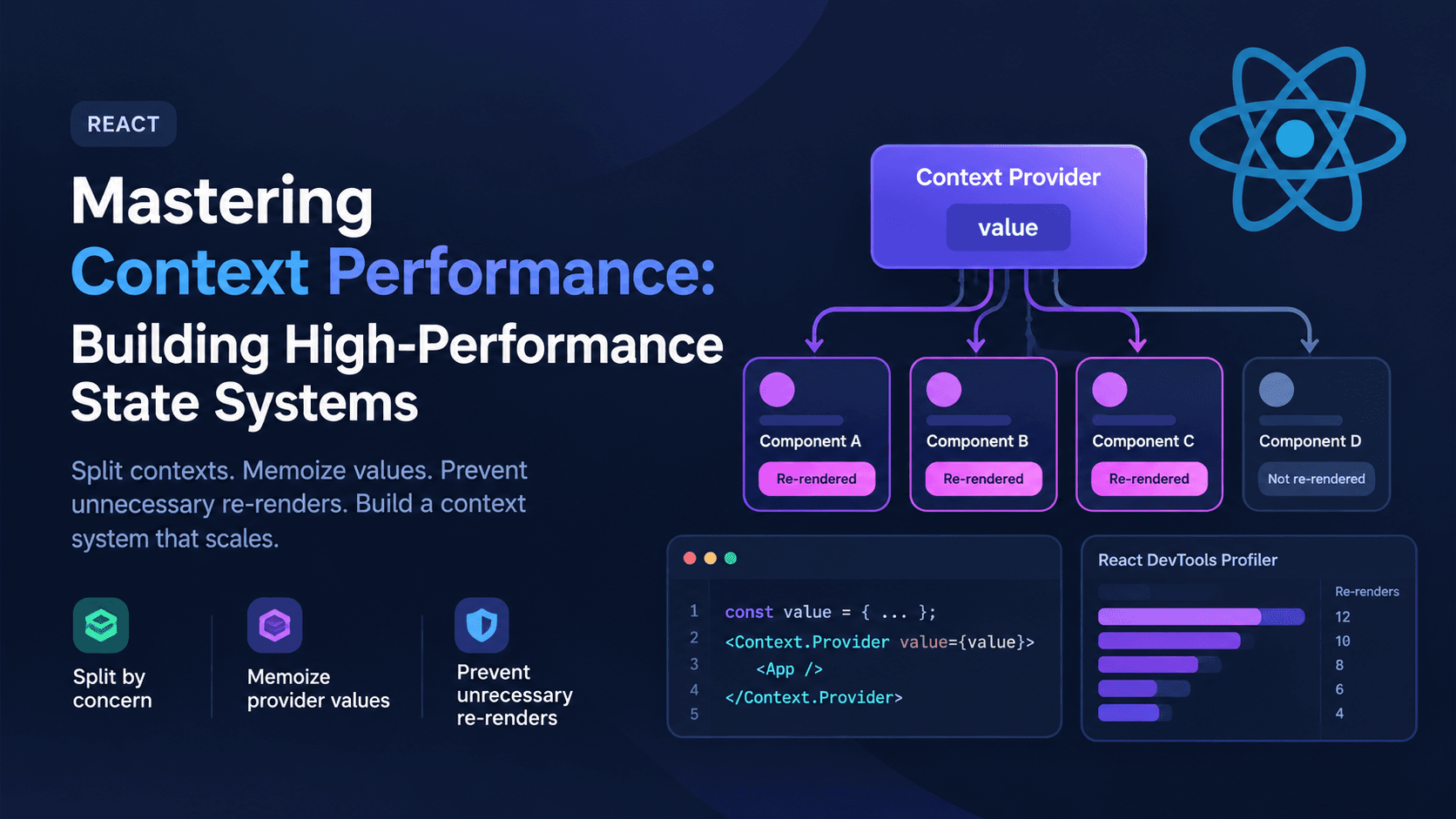
Mastering Context Performance: Building High-Performance State Systems
React's Context API is one of the most convenient tools in the framework — and one of the most misunderstood. It solves prop drilling beautifully, but teams that reach for a single, sprawling context to hold "all the app state" often discover the same problem months later: the UI starts to stutter, typing feels laggy, and the React DevTools Profiler lights up with dozens of components re-rendering for no visible reason.
The good news is that this isn't a flaw in Context itself. It's a predictable consequence of how Context propagates updates, and it can be engineered around with a handful of well-understood patterns: splitting contexts by concern, memoizing provider values, and preventing consumers from re-rendering when they don't need to. This guide walks through the mechanics of the problem and the concrete techniques for building a context system that scales.
Why Context Re-renders More Than You Expect
To fix a re-render problem, it helps to understand exactly what triggers it. According to the official React documentation on useContext, every component that calls useContext(SomeContext) re-renders whenever the nearest matching Provider above it receives a new value. This isn't optional behavior you can tune with a prop — it's the core contract of Context.
The critical detail most teams miss is what counts as a new value. React compares the value passed to Provider using Object.is, the same algorithm used for regular state comparisons. If you construct a new object or array literal inside your provider's render — even one with identical-looking contents — React sees a different reference and re-renders every single consumer, regardless of whether that consumer actually reads the changed field.
jsx
function AppProvider({ children }) {
  const [user, setUser] = useState(null);
  const [theme, setTheme] = useState("light");

  // New object every render — every consumer re-renders on ANY state change
  const value = { user, setUser, theme, setTheme };

  return <AppContext.Provider value={value}>{children}</AppContext.Provider>;
}
Here, changing theme re-renders every component consuming AppContext, even ones that only care about user. As the provider's responsibilities grow, this problem compounds — a single context holding auth, theme, notifications, and feature flags means a notification arriving can re-render your entire settings panel.
Technique 1: Split Contexts by Concern, Not by Convenience
The single most effective fix is architectural: stop treating Context as one global bucket. Instead, create a dedicated context for each independent piece of state, so a component only subscribes to the data it actually needs.
jsx
const UserContext = createContext(null);
const ThemeContext = createContext("light");
const NotificationsContext = createContext([]);

function AppProviders({ children }) {
  return (
    <UserProvider>
      <ThemeProvider>
        <NotificationsProvider>{children}</NotificationsProvider>
      </ThemeProvider>
    </UserProvider>
  );
}
Now a component that reads only ThemeContext is structurally incapable of re-rendering when a notification arrives, because it was never subscribed to NotificationsContext in the first place. This is the pattern React's own guide on scaling state management with useReducer and Context leans on: state and dispatch are frequently split into separate contexts precisely because dispatch functions are stable but state values change often, and consumers that only need to trigger updates shouldn't re-render when the state itself changes.
A useful refinement of this pattern is splitting state from actions:
jsx
const CartStateContext = createContext(null);
const CartActionsContext = createContext(null);

function CartProvider({ children }) {
  const [items, setItems] = useState([]);

  const actions = useMemo(
    () => ({
      addItem: (item) => setItems((prev) => [...prev, item]),
      removeItem: (id) => setItems((prev) => prev.filter((i) => i.id !== id)),
    }),
    []
  );

  return (
    <CartStateContext.Provider value={items}>
      <CartActionsContext.Provider value={actions}>
        {children}
      </CartActionsContext.Provider>
    </CartStateContext.Provider>
  );
}
A toolbar button that only calls addItem can subscribe to CartActionsContext alone and never re-render when the cart contents change.
Technique 2: Memoize the Provider Value
Splitting contexts reduces the blast radius of a re-render, but each individual provider still needs to avoid manufacturing a new value object on every render. This is where useMemo earns its keep. As described in the React documentation on useMemo, memoization caches a computed value between renders and only recalculates it when its dependencies change — which, for a context value, means consumers won't see a "new" reference unless something they actually care about changed.
jsx
function ThemeProvider({ children }) {
  const [theme, setTheme] = useState("light");

  const value = useMemo(() => ({ theme, setTheme }), [theme]);

  return <ThemeContext.Provider value={value}>{children}</ThemeContext.Provider>;
}
If you're passing functions as part of the context value, wrap them in useCallback so they don't get recreated on every render either — an unmemoized function inside a memoized object still breaks the memoization, since the object's shallow contents change even if theme didn't.
Technique 3: Stop Re-renders From Propagating Further
Splitting and memoizing controls whether a context consumer re-renders. It says nothing about that consumer's children. If a component re-renders because it consumes context, every child underneath it re-renders by default too — even children that receive the exact same props.
React.memo, documented in the official memo API reference, wraps a component so React skips re-rendering it when its props haven't changed (using a shallow comparison). This is the second half of the puzzle:
jsx
const ExpensiveChild = React.memo(function ExpensiveChild({ label }) {
  console.log("rendering ExpensiveChild");
  return <div>{label}</div>;
});
A common pattern that pairs splitting, memoizing, and memo together looks like this:
jsx
function Toolbar() {
  const { theme } = useContext(ThemeContext); // only re-renders on theme change
  return (
    <div className={theme}>
      <MemoizedIcon /> {/* skips re-render since props are unchanged */}
    </div>
  );
}
Without memo, even a perfectly isolated context still triggers a re-render cascade through every descendant of the consumer.
Technique 4: The Selector Pattern for Large or Frequently-Changing State
Splitting contexts works well when your state naturally divides into independent slices. It breaks down when a single piece of state — say, a large form object or a real-time collaborative document — is both large and frequently updated, but different consumers only need small slices of it.
This is the exact problem the community-built use-context-selector library addresses. Rather than subscribing a component to the entire context value, a selector function reads out just the slice a component needs, and React only re-renders that component when its slice changes — not on every update to the parent object. The library's author has an open, long-standing RFC proposing this behavior for React core itself, though as of now it remains a userland solution.
If you'd rather not add a dependency, you can approximate the pattern by combining Context with a useSyncExternalStore-based store, or by decomposing the "large object" state into several smaller, purpose-built contexts as described in Technique 1. In practice, most teams get 90% of the benefit from disciplined context splitting and memoization before selectors become necessary — reach for a selector library only after you've profiled and confirmed the remaining re-renders are unavoidable with plain Context.
Technique 5: Know When Context Isn't the Right Tool
Context was designed to solve prop drilling for relatively static or infrequently-changing values — theme, locale, authenticated user, feature flags. It was never designed to be a high-frequency state management engine. If you find yourself building selectors, middleware, and elaborate splitting schemes just to keep a Context-based store responsive, that's usually a sign the state belongs in a dedicated state management library (such as Zustand or Jotai) that was built around fine-grained subscriptions from the start, rather than one built around a subscribe-to-everything provider model.
A practical rule of thumb: state that changes on every keystroke, every animation frame, or every websocket message is a poor fit for Context. State that changes a few times per user session — theme, auth, locale — is exactly what Context was built for.
Measuring Before and After
None of these techniques should be applied blindly. React DevTools' Profiler tab lets you record a session and see exactly which components re-rendered and why, including a "ranked" view of render duration. Before restructuring a context, profile the interaction that feels slow, identify which components are re-rendering unnecessarily, and confirm after your changes that the specific re-renders you targeted are gone. Performance work without measurement tends to produce code that's harder to read without any verified benefit — sometimes splitting a context adds provider nesting overhead that isn't worth it for state that rarely changes.
For state updates that are computationally expensive to render but don't need to block user input — like filtering a large list as someone types — it's also worth pairing context-level optimizations with React's concurrent rendering features. We cover the scheduling side of that problem in more detail in our related deep dive on useTransition and useDeferredValue.
Putting It Together
A high-performance Context architecture usually looks like this:
- Split contexts by domain (auth, theme, cart, notifications) rather than convenience.
- Split further within a domain when state and actions have different change frequencies (state context vs. actions context).
- Memoize every provider's value with
useMemo, and every function inside it withuseCallback. - Wrap expensive consumers and their subtrees in
React.memoso a necessary re-render doesn't cascade further than it needs to. - Reach for a selector pattern only when a single piece of state is both large and high-frequency, and profiling confirms splitting alone isn't enough.
- Reconsider Context entirely for state that changes at high frequency — that's a job for a purpose-built state library.
None of these steps is exotic on its own. What makes the difference is applying them together, deliberately, and validating each change against the Profiler rather than intuition. Context re-renders aren't a bug to work around — they're a contract to design for.