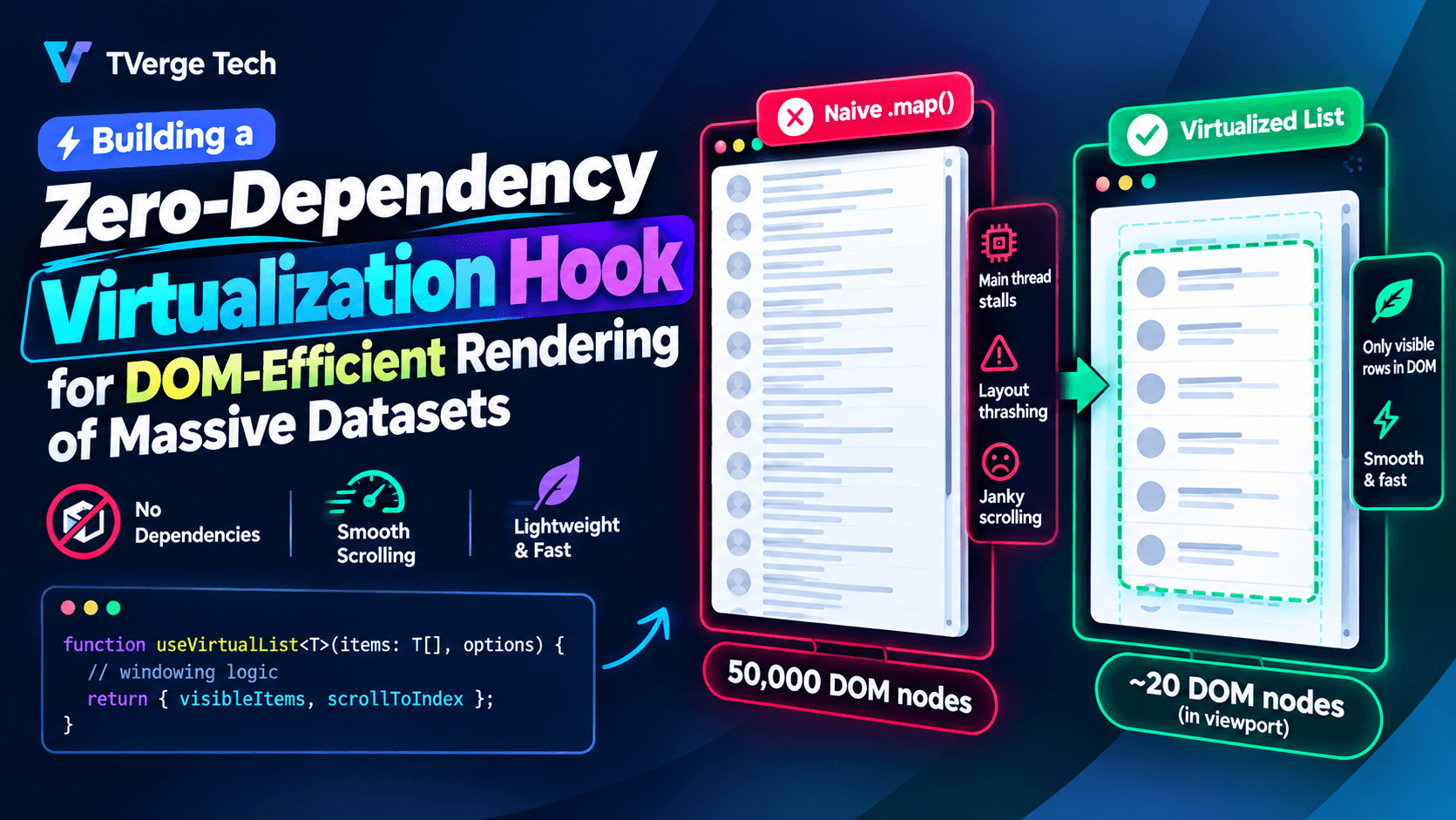
Building a Zero-Dependency Virtualization Hook for DOM-Efficient Rendering of Massive Datasets
Rendering a list of 50,000 rows in React sounds like a solved problem until you actually try it. Mount that list with a naive .map() and you'll watch the main thread stall, scroll input turn to sludge, and Chrome DevTools light up with a layout thrashing warning. The browser is not struggling with your data — it's struggling with the DOM. A modern browser can hold tens of thousands of JavaScript objects in memory without blinking, but it chokes on tens of thousands of live DOM nodes, each with its own style computation, layout box, and paint record.
The standard fix is virtualization (also called windowing): render only the rows that are actually visible in the viewport, plus a small buffer, and swap their content as the user scrolls. Libraries like react-window and react-virtual solve this well, but pulling in a dependency for what is fundamentally 150 lines of scroll math isn't always the right trade-off — especially if you need fixed-height or variable-height support, want full control over the scroll container, or simply don't want another package in your bundle and dependency tree.
This guide walks through building that hook from scratch: no dependencies, just useState, useRef, useEffect, and the browser's own layout primitives.
Why the DOM Is the Bottleneck, Not React
Before writing any code, it helps to be precise about what's actually slow. React's reconciler is fast at diffing. The expensive part is what happens after the diff: every DOM node React creates or updates triggers the browser's style recalculation and layout pipeline. With 50,000 rows, even a single scroll event that touches all of them forces the browser to recompute geometry for the entire list, one frame after another, at 60 times a second.
Virtualization sidesteps this by keeping the number of live DOM nodes roughly constant — typically in the dozens — regardless of how large the underlying dataset is. The dataset can grow to a million items; the DOM never grows past what fits on screen. This is the same principle native app frameworks like Android's RecyclerView and iOS's UITableView are built on: recycle a small pool of views instead of creating one per item.
The Core Idea: Render a Window, Not the List
A virtualization hook needs to answer three questions on every scroll event:
- Which items are currently visible in the viewport?
- How much empty space needs to sit above and below those items so the scrollbar reflects the full list size, not just the rendered slice?
- How do we avoid recalculating all of this on every single pixel of scroll, which would itself become the bottleneck?
The mental model is a "windshield" over a very long strip of items. The strip itself is never rendered — you only paint what's behind the windshield, plus a little overscan on each side so fast scrolling doesn't reveal blank space before React can catch up.
Step 1: Fixed-Height Virtualization
Fixed-height lists are the simplest case, because the position of any item is a pure function of its index: index * itemHeight. This means you never need to measure anything — you can calculate the visible range with arithmetic alone.
import { useState, useRef, useCallback, useMemo } from "react";

function useVirtualizer({
  itemCount,
  itemHeight,
  overscan = 3,
}) {
  const containerRef = useRef(null);
  const [scrollTop, setScrollTop] = useState(0);
  const [viewportHeight, setViewportHeight] = useState(0);

  const handleScroll = useCallback((e) => {
    setScrollTop(e.currentTarget.scrollTop);
  }, []);

  const measureViewport = useCallback((node) => {
    containerRef.current = node;
    if (node) {
      setViewportHeight(node.clientHeight);
    }
  }, []);

  const { startIndex, endIndex, totalHeight, offsetY } = useMemo(() => {
    const totalHeight = itemCount * itemHeight;

    const rawStart = Math.floor(scrollTop / itemHeight);
    const rawEnd = Math.ceil((scrollTop + viewportHeight) / itemHeight);

    const startIndex = Math.max(0, rawStart - overscan);
    const endIndex = Math.min(itemCount - 1, rawEnd + overscan);

    const offsetY = startIndex * itemHeight;

    return { startIndex, endIndex, totalHeight, offsetY };
  }, [scrollTop, viewportHeight, itemCount, itemHeight, overscan]);

  return {
    containerRef: measureViewport,
    onScroll: handleScroll,
    startIndex,
    endIndex,
    totalHeight,
    offsetY,
  };
}
A few design decisions worth calling out:
overscanrenders a few extra rows above and below the visible window. Without it, fast scrolling briefly exposes empty space while React catches up on the next paint. A value of 3–5 is usually enough; going much higher defeats the purpose of virtualizing at all.totalHeightis applied to a spacer element, not the real content. It tells the browser (and therefore the scrollbar) how tall the list would be if every row were rendered, even though only a slice actually exists in the DOM.offsetYshifts the rendered slice down so it lines up with where those items would sit in the full list. This is typically done with a CSStransform: translateY(), which is compositor-only and avoids triggering layout on every scroll frame — unlike animatingtop.
Using it in a component looks like this:
function VirtualList({ items, itemHeight = 40 }) {
  const {
    containerRef,
    onScroll,
    startIndex,
    endIndex,
    totalHeight,
    offsetY,
  } = useVirtualizer({
    itemCount: items.length,
    itemHeight,
    overscan: 4,
  });

  const visibleItems = items.slice(startIndex, endIndex + 1);

  return (
    <div
      ref={containerRef}
      onScroll={onScroll}
      style={{ height: "600px", overflow: "auto", position: "relative" }}
    >
      <div style={{ height: totalHeight, position: "relative" }}>
        <div
          style={{
            transform: `translateY(${offsetY}px)`,
            position: "absolute",
            top: 0,
            left: 0,
            right: 0,
          }}
        >
          {visibleItems.map((item, i) => (
            <div key={startIndex + i} style={{ height: itemHeight }}>
              {item.label}
            </div>
          ))}
        </div>
      </div>
    </div>
  );
}
This alone takes a 50,000-row list from thousands of live DOM nodes down to roughly 20–30, no matter how far the user scrolls.
Step 2: Handling Variable-Height Rows
Real-world lists rarely have uniform height — chat messages, comment threads, and card feeds all vary. Once row height isn't a constant, index * itemHeight no longer works, and you need to track measured heights and derive item positions from a running total.
The key building block is a position cache: an array (or map) of cumulative offsets, updated lazily as rows are measured.
function useVariableVirtualizer({ itemCount, estimateHeight, overscan = 3 }) {
  const containerRef = useRef(null);
  const measuredHeights = useRef(new Map());
  const [scrollTop, setScrollTop] = useState(0);
  const [viewportHeight, setViewportHeight] = useState(0);
  const [, forceRender] = useState(0);

  const getItemHeight = useCallback(
    (index) => measuredHeights.current.get(index) ?? estimateHeight,
    [estimateHeight]
  );

  // Cumulative offset of each item, recomputed only when heights change.
  const offsets = useMemo(() => {
    const arr = new Array(itemCount + 1);
    arr[0] = 0;
    for (let i = 0; i < itemCount; i++) {
      arr[i + 1] = arr[i] + getItemHeight(i);
    }
    return arr;
  }, [itemCount, getItemHeight]);

  const findIndex = (offset) => {
    // Binary search over the cumulative offsets — O(log n) per lookup.
    let low = 0;
    let high = offsets.length - 1;
    while (low < high) {
      const mid = (low + high) >> 1;
      if (offsets[mid] < offset) low = mid + 1;
      else high = mid;
    }
    return Math.max(0, low - 1);
  };

  const startIndex = Math.max(0, findIndex(scrollTop) - overscan);
  const endIndex = Math.min(
    itemCount - 1,
    findIndex(scrollTop + viewportHeight) + overscan
  );

  const measureRow = useCallback((index, node) => {
    if (!node) return;
    const height = node.getBoundingClientRect().height;
    if (measuredHeights.current.get(index) !== height) {
      measuredHeights.current.set(index, height);
      forceRender((n) => n + 1); // triggers a recompute of offsets
    }
  }, []);

  return {
    containerRef: (node) => {
      containerRef.current = node;
      if (node) setViewportHeight(node.clientHeight);
    },
    onScroll: (e) => setScrollTop(e.currentTarget.scrollTop),
    startIndex,
    endIndex,
    totalHeight: offsets[itemCount],
    getOffset: (index) => offsets[index],
    measureRow,
  };
}
The binary search over cumulative offsets is what keeps this from becoming O(n) on every scroll event — with 100,000 rows, a linear scan for the visible range would itself become a performance problem, ironically defeating the purpose of virtualizing at all.
The trade-off with variable heights is a brief "settling" period: rows are rendered at an estimated height first, measured after paint via a ref callback, and then the offset table is corrected. This is the same approach used by every mature virtualization library — there is no way to know a row's real height without rendering it at least once.
Step 3: Avoiding Layout Thrashing During Measurement
Calling getBoundingClientRect() synchronously inside a render or an effect that runs for many rows can trigger layout thrashing — repeated forced synchronous reflows as the browser is asked to read geometry, write a style, read again, and so on. Two practices matter here:
- Batch reads before writes. Measure all newly-mounted rows first, then update state once, rather than interleaving reads and writes per row.
- Prefer
ResizeObserverover manual measurement when a row's size can change independently of a scroll event (e.g., an image loading in, or a text area growing). It reports size changes asynchronously without forcing a synchronous layout, and it's supported in every browser you need to target today, per the MDN ResizeObserver documentation.
Step 4: Keying, Reconciliation, and Recycling
One subtlety that trips people up: virtualized rows should be keyed by item identity (an ID from the data), not by their position in the visible window. If you key by array index within the rendered slice, React will reuse DOM nodes for the wrong data as the window shifts, causing state inside rows (focus, input values, uncontrolled form state) to leak between items.
{visibleItems.map((item) => (
  <Row key={item.id} data={item} />
))}
This is a general React reconciliation rule — see the React documentation on lists and keys — but it matters more in virtualized lists because rows are mounted and unmounted constantly as the window moves, rather than once at initial render.
Step 5: Throttling Scroll Updates Without Losing Smoothness
Calling setState on every native scroll event can queue more renders than the browser can paint, especially on trackpads that fire scroll events at a very high frequency. Wrapping the scroll handler in requestAnimationFrame batches updates to the browser's own paint cadence instead:
const handleScroll = useCallback((e) => {
  const top = e.currentTarget.scrollTop;
  if (rafId.current) return; // a frame is already scheduled
  rafId.current = requestAnimationFrame(() => {
    setScrollTop(top);
    rafId.current = null;
  });
}, []);
This is a light-touch version of the debounce/throttle pattern, aligned specifically to requestAnimationFrame — a technique documented in Google's own performance guidance on avoiding large, complex layouts and layout thrashing and in the requestAnimationFrame reference on MDN.
Measuring the Result
The point of all this is verifiable, not theoretical. Two things are worth checking in Chrome DevTools once the hook is wired up:
- Elements panel: the live node count for the list container should stay roughly constant regardless of
itemCount— whether the list holds 500 items or 500,000. - Performance panel: recording a scroll session should show short, consistent frame times with no long tasks, versus the long, sawtooth-shaped tasks a non-virtualized list produces as it re-lays-out thousands of nodes per frame.
If frame times are still spiking after virtualization is in place, the usual suspects are: doing expensive work inside the row component itself (unmemoized formatting, inline object creation causing prop-identity churn), or an overscan value that's too generous for the row complexity.
When Not to Build This Yourself
A hand-rolled hook is a good fit when your rows are simple, your height model is either fixed or cheaply estimable, and you don't need horizontal virtualization, sticky sections, or dynamic column widths. If you need those — or you're virtualizing a grid rather than a list — a maintained library will save you from re-solving edge cases (RTL support, keyboard navigation, accessibility roles) that a from-scratch hook tends to skip. Reach for the dependency when the list is a small part of a much larger UI problem; build it yourself when the list is the problem and you want to understand, and control, every millisecond of it.
Key Takeaways
- The DOM, not React's reconciler, is what makes huge lists slow — virtualization keeps live node count constant regardless of dataset size.
- Fixed-height lists can compute the visible range with simple arithmetic; variable-height lists need a cumulative offset cache and a binary search to stay fast.
- Use
transform: translateY()instead oftopfor positioning, to keep repositioning on the compositor thread. - Key rows by data identity, not by their index in the rendered window, to avoid state leaking between recycled rows.
- Batch scroll-driven state updates to
requestAnimationFrameto avoid queuing more renders than the browser can paint.