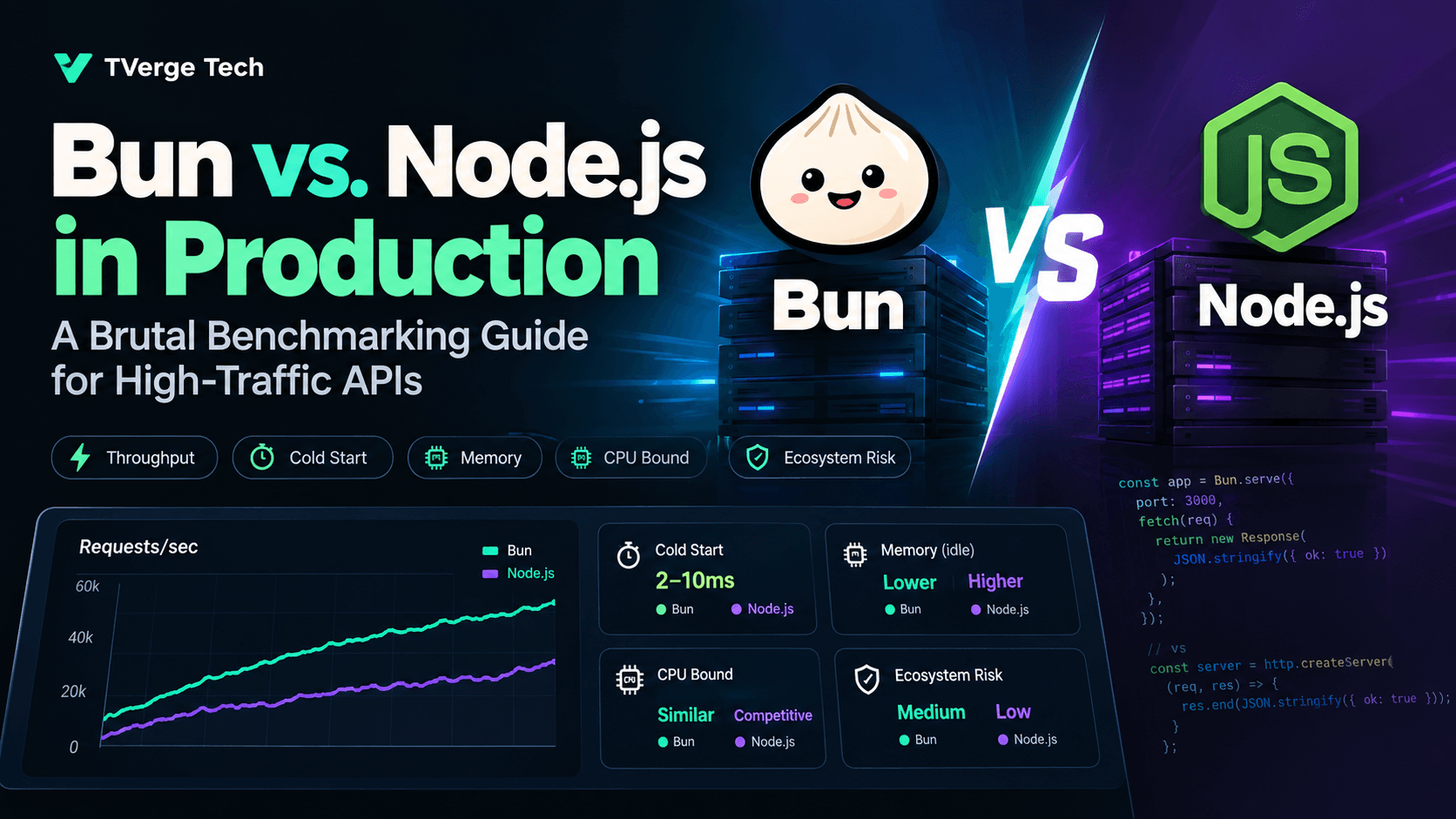
Bun vs. Node.js in Production: A Brutal Benchmarking Guide for High-Traffic APIs
If you've searched "Bun vs Node.js benchmark," you've probably seen the same headline number recycled across a dozen blog posts: Bun serves roughly 3-4x more requests per second than Node.js on a synthetic "hello world" endpoint. That number is real, it's reproducible, and it's also almost useless for deciding what to run in production.
A synthetic JSON echo endpoint tells you how fast a runtime can push bytes onto a socket. It tells you nothing about what happens when that endpoint calls a database, holds 20,000 WebSocket connections open, runs under a Kubernetes memory limit, or has to survive an npm package that assumes it's running on V8. This guide is built around the second set of questions — the ones that actually decide uptime and cloud spend.
TL;DR
- Raw HTTP throughput: Bun's native
Bun.serve()consistently outperforms Node'shttpmodule and Express on simple JSON workloads, largely because Bun's JavaScriptCore-based server bypasses layers Node's socket-to-userland path still carries. - Cold start: Bun's advantage is largest here — single-digit to low-double-digit milliseconds versus tens of milliseconds for Node — which matters far more for serverless and autoscaled containers than for long-running pods.
- Memory footprint: Bun tends to run leaner at idle and under light load; the gap narrows under sustained GC pressure from large object graphs, where V8's decades of tuning still show.
- CPU-bound work: The gap compresses significantly, and in some JSON-parsing and regex-heavy workloads V8 is competitive or ahead — this is the part most comparison posts skip.
- Ecosystem risk: Bun's Node.js API compatibility is high but not total. Native addons (
node-gyp), some database drivers, and edge-caseworker_threadsbehavior are where migrations break. - Verdict: For new greenfield APIs, especially latency-sensitive or serverless ones, Bun is a legitimate default. For an existing Node production fleet with deep native dependencies, the migration cost usually outweighs the throughput win — optimize Node first.
Why the "Hello World" Benchmark Lies to You
Most public Bun vs. Node comparisons follow the same shape: spin up a bare HTTP server that returns a static string or small JSON object, hit it with a load generator, and report requests per second. This measures the runtime's socket-handling and event-loop dispatch overhead in isolation — a real and relevant number, but only one input into production latency.
In a real API, that same request usually also:
- Parses and validates a request body
- Awaits at least one I/O call (database, cache, upstream API)
- Serializes a non-trivial response object
- Runs through middleware (auth, logging, rate limiting, CORS)
- Competes with other in-flight requests for the same event loop
Each of those steps changes the bottleneck. A database round-trip at 5-10ms dwarfs a 0.3ms difference in framework dispatch overhead. A CPU-bound JSON transform can shift the advantage entirely, since it stresses the JavaScript engine (JavaScriptCore vs. V8) rather than the I/O layer. This is why a credible benchmarking guide has to test more than one workload shape.
A Reproducible Benchmarking Methodology
Before any numbers matter, the test conditions have to be pinned down — most "Bun is 4x faster" claims fall apart under scrutiny precisely because the conditions weren't controlled. Use this checklist for any benchmark you run yourself, and be suspicious of any published benchmark that skips these:
- Same hardware, same run. Never compare a laptop run of Node against a cloud VM run of Bun. CPU frequency scaling and thermal throttling alone can produce a 20-30% swing.
- Pin CPU affinity. Use
taskset(Linux) to keep the server process on fixed cores so the OS scheduler and cache locality aren't adding noise. - Fixed file descriptor limits.
ulimit -ndifferences will silently cap your concurrent connection benchmarks and produce misleading WebSocket results. - Warm-up window. Discard the first several seconds of any run. Both V8's JIT tiers and JavaScriptCore's optimizing compiler need time to reach steady state; comparing cold-JIT numbers exaggerates whichever runtime warms up faster (usually Bun, since Bun's TypeScript transpilation and startup path is lighter).
- Consistent TLS strategy. Either terminate TLS identically for both runtimes (ideally at a reverse proxy, out of the benchmark) or don't test TLS at all in the throughput run — in-process TLS termination cost varies by runtime and will contaminate raw throughput numbers.
- Report percentiles, not just mean throughput. p50 tells you the typical request; p99 tells you what your on-call engineer sees during an incident. A runtime with a higher mean but a fatter GC-pause tail is often the worse production choice.
- Run long enough to trigger GC. A 10-second benchmark run may complete before either engine's major garbage collection kicks in. Production traffic doesn't get that luxury — run for minutes, not seconds.
Recommended tooling
- k6 — scriptable load generator, good for realistic multi-step scenarios (auth → request → parse response) rather than single-endpoint hammering.
- autocannon — Node-based, extremely low overhead, the closest thing the ecosystem has to a standard for raw HTTP throughput comparisons.
- oha or wrk — for a load generator written outside the JS ecosystem, removing any concern that the benchmarking tool itself favors one runtime.
- Node's built-in
perf_hooksandprocess.memoryUsage()for in-process timing and heap inspection on the Node side. - Bun's
Bun.serve()documentation for the native server API surface, including its built-in WebSocket upgrade handling, which is worth benchmarking separately from HTTP.
Benchmark 1: Raw HTTP Throughput
Testing a minimal JSON-response endpoint with no middleware isolates dispatch overhead. Across independently published benchmarks that follow rigorous methodology (pinned cores, warm-up windows, percentile reporting), a consistent pattern holds:
- Bun's native
Bun.serve()sits meaningfully ahead of Node's rawhttpmodule on requests per second, commonly in the range of 2-4x depending on payload size and hardware. - Framework overhead compresses the gap on both sides. A minimal Node framework built directly on
httpnarrows the distance to Bun considerably more than Express does, since Express's middleware chain and routing layer add fixed per-request cost that scales with request volume. - Bun-native frameworks built specifically around
Bun.serve()tend to retain most of the runtime's raw advantage, while frameworks designed runtime-agnostically (to run on both Node and Bun) sacrifice some of that advantage for portability.
What this means for you: if your API is a thin proxy layer with minimal business logic per request, the framework you choose matters more than most teams assume — and it can matter more than the runtime choice itself. A poorly-chosen Node framework can underperform a well-chosen one by more than the entire Bun-vs-Node gap.
Benchmark 2: Cold Start and Serverless Cost
This is where the runtime gap is least ambiguous. Bun's process startup — parsing, module resolution, and reaching a ready-to-serve state — is dramatically faster than Node's, largely because Bun bundles its JavaScript engine startup, its transpiler, and its module resolver into a single optimized native binary path, whereas Node's startup involves more layered initialization (V8 isolate creation, module system setup, and for TypeScript projects, an external transpilation step).
For a long-running container or a Kubernetes pod, cold start is a one-time cost amortized over the pod's lifetime — largely irrelevant to steady-state throughput. For serverless functions (AWS Lambda, Cloudflare Workers-adjacent Node runtimes, Google Cloud Run scale-to-zero), cold start directly multiplies into:
- Tail latency for the unlucky request that triggers a new instance
- Billed compute time, since you pay for the initialization window
- Autoscaling responsiveness under sudden traffic spikes
If your API runs behind an aggressive autoscaler or a scale-to-zero platform, cold start differences compound across every scale-up event, not just once. This is the single strongest production argument for Bun, independent of steady-state throughput.
Benchmark 3: Memory Under Load
Idle memory footprint is a poor proxy for production memory behavior. What actually matters is how each runtime behaves under sustained request volume with realistic object churn — request bodies, database result sets, serialized responses.
- At idle and under light load, Bun's JavaScriptCore-based heap tends to have a smaller footprint than a freshly-started V8 isolate.
- Under sustained load with high allocation rates, the gap narrows. V8's generational garbage collector — scavenge for young-generation objects, mark-compact for old-generation — is the product of over a decade of production tuning against exactly this kind of workload, and Node exposes fine-grained control over it via flags like
--max-old-space-sizeand--max-semi-space-size. - Container memory limits interact with this directly: Node has been cgroup-aware since version 12, meaning it sizes its heap ceiling based on the container's memory limit rather than the host's total memory — critical for avoiding OOM kills in Kubernetes. Confirm Bun's current cgroup-awareness behavior against its release notes before assuming parity, since this is an area where runtime behavior has shifted across recent releases.
Practical recommendation: don't benchmark memory in isolation. Run your actual GC-pause p99 alongside your throughput p99 under a sustained load test (10+ minutes), and watch RSS growth over that window rather than a snapshot. A runtime with a slightly lower peak RSS but a jagged GC pause pattern can hurt tail latency more than a runtime with steady, predictable pauses at a higher baseline.
Benchmark 4: WebSockets and Long-Lived Connections
Throughput benchmarks measure short request-response cycles. Real-time APIs — chat, live dashboards, collaborative editing, trading feeds — live or die on how many concurrent long-lived connections a single instance can hold and how the runtime handles backpressure.
Key variables that determine your actual number, none of which show up in a "Bun handles X connections" headline claim:
- File descriptor limits (
ulimit -n) — often the actual ceiling, not the runtime. - Message size and frequency — a runtime that wins at high-frequency small messages can lose at low-frequency large messages, since the bottleneck shifts from dispatch overhead to serialization cost.
- Backpressure policy — what happens when a client can't keep up with the server's send rate. Both runtimes require you to explicitly choose a policy (drop, buffer, or slow the producer); an unhandled default will produce misleading "it just works" results in a benchmark that silently drops messages under load.
- Bun's integrated upgrade path —
Bun.serve()includes WebSocket upgrade handling in the same API surface as HTTP, which reduces boilerplate compared to wiring a separatewslibrary on top of Node'shttpserver, though this is a developer-experience and code-path difference more than a raw throughput one.
If WebSocket concurrency is your production bottleneck, benchmark it explicitly and separately — don't extrapolate from an HTTP throughput number.
Benchmark 5: CPU-Bound Work (The Part Most Comparisons Skip)
Almost every public Bun vs. Node comparison tests I/O-bound or dispatch-bound workloads, because that's where Bun's advantage is largest and easiest to demonstrate. Production APIs also run CPU-bound work: JSON schema validation, response transformation, cryptographic hashing, template rendering, regex-heavy parsing.
This is where the picture gets genuinely mixed. V8 has been the target of over a decade of aggressive optimization work specifically for JavaScript execution speed on CPU-bound code paths — it's the engine behind Chrome, and Google has enormous incentive to keep pushing its JIT tiers (Ignition, Sparkplug, Maglev, TurboFan) forward. JavaScriptCore is a strong, mature engine in its own right, but the two are not uniformly ordered across all code shapes — which one wins depends heavily on the specific operation (string manipulation, regex, typed arrays, object property access patterns).
Practical recommendation: if your endpoint does meaningful CPU work per request — anything beyond parsing a small JSON body — don't assume Bun's HTTP-layer advantage carries through. Profile that specific workload on both runtimes before committing.
Ecosystem and Compatibility Risk
Throughput numbers don't matter if the migration breaks your dependency tree. Bun ships with a stated goal of high Node.js API compatibility, and in practice a large majority of npm packages run unmodified. The failure modes that show up in real migrations cluster around:
- Native addons compiled via
node-gyp— packages with a native binary component are the most common source of migration friction, since they're compiled against Node's native API (N-API/NAN), not Bun's. - Database drivers with native bindings — some drivers for PostgreSQL, native compression libraries, or performance-sensitive serialization libraries fall into this category.
worker_threadsedge cases — Bun implementsworker_threads, but subtle behavioral differences in message passing or thread lifecycle can surface under load in ways that don't show up in a quick smoke test.- Framework and ORM version pinning — some frameworks and ORMs explicitly gate Bun support behind specific minor versions; check your exact dependency versions against the framework's own compatibility notes rather than assuming "supports Bun" is a blanket claim across all versions.
Before migrating a production service, run your full test suite and a staging load test on Bun rather than trusting a package's README badge. The 5% of dependencies that don't work cleanly are disproportionately likely to be the ones doing heavy lifting — crypto, compression, or your database driver.
Decision Framework: When to Actually Choose Each
Choose Bun when:
- You're starting a new service and have no legacy dependency constraints
- Cold start latency directly affects cost or user-facing tail latency (serverless, scale-to-zero, CLI tools)
- Your workload is dominated by HTTP dispatch and I/O wait rather than CPU-bound transformation
- Your team wants built-in TypeScript execution, bundling, and test running without assembling a separate toolchain
Stay on Node when:
- You have production dependencies with native addons or drivers not yet verified against Bun
- Your workload is CPU-bound in ways you haven't profiled on both runtimes
- You rely on mature Node-specific observability tooling (APM agents, profilers,
clinic.js-style diagnostics) that may have partial or no Bun support - Your organization needs the long-term stability guarantees of Node's LTS release cycle for a regulated or high-compliance environment
A third option, underused: optimize Node first. A meaningful share of "we need to switch to Bun" performance complaints are actually Express middleware bloat, unindexed database queries, or a missing connection pool — problems that follow you to any runtime. Profile before you migrate.
Migration Checklist (If You Decide to Move)
- Audit
package.jsonfor native addons and packages with compiled binaries; verify each against current Bun compatibility notes. - Run your full existing test suite under
bun testbefore touching production code. - Load-test the migrated service under realistic traffic shape (not a hello-world benchmark) for at least 10 minutes to surface GC and connection-handling behavior.
- Verify container memory limit behavior explicitly — don't assume feature parity with Node's cgroup-aware heap sizing without confirming against Bun's current release notes.
- Confirm your APM, logging, and error-tracking tooling has verified Bun support before cutting production traffic over.
- Migrate one non-critical service first and run it in production for a full traffic cycle (including peak) before expanding.
Frequently Asked Questions
Is Bun ready for production in 2026?
For new services without heavy native-dependency constraints, yes — it's a common production choice at this point. For migrating an existing complex Node service, treat it as a project with real risk, not a drop-in swap.
Does Bun replace Node.js entirely?
No. Bun is a separate runtime, bundler, package manager, and test runner. It aims for high Node.js API compatibility so existing code can run with minimal changes, but it is not built on Node's codebase.
Will switching to Bun automatically make my API faster?
Only if your bottleneck is runtime dispatch overhead or cold start. If your bottleneck is a database query, an unindexed table, or synchronous CPU work, the runtime swap won't fix it — profile first.
Can I run Bun and Node side by side in the same infrastructure?
Yes, and it's a reasonable de-risking strategy — run new services on Bun while leaving stable, dependency-heavy Node services in place, rather than a wholesale cutover.
The Bottom Line
Bun's raw performance advantage on dispatch-bound and cold-start-sensitive workloads is real and well-documented across independent benchmarks. But "brutal benchmarking" means testing the workload you actually run, not the one that's easiest to make a chart out of. Profile your real endpoints — including the CPU-bound ones — on both runtimes before making an infrastructure-wide decision, and weigh the ecosystem migration cost as seriously as the throughput number.